I use a shared Overleaf workspace and GitHub for the thesis and supporting documents. UT provides Overleaf Premium. We update the same source throughout the project and give feedback through comments and tracked changes, which prevents files such as “final_v7_really_final.docx.”
In the Overleaf project, we keep a running PROJECT_MANAGEMENT.md log (meetings, questions, decisions, next steps). It becomes our shared memory and prevents circular discussions.
For practical tips on email, meetings, and how to request feedback, also see Communication and Feedback.
How to start
To make your experience with LaTeX smoother, I created a thesis template that includes the most common thesis elements (figures, glossaries, tables, algorithms, code, cover pages, mathematical models, etc.).
The template text is intentionally generic. Keep the structure, and replace the placeholder text with your context, assumptions, and contributions.
To use this template:
- Copy the project on Overleaf (
Menu>Copy Project) and rename it to “degree_year_company_surname_name”. - Share the project with me (b.alvesbeirigo@utwente.nl) (make sure you choose “Can Edit”).
You can also use UT’s LaTeX thesis template. If you do, first examine the provided template to learn how to create typical thesis elements.
Keeping track of our progress
For each meeting, I will leave the main feedback on the PROJECT_MANAGEMENT.md file under the “Feedback” heading. If you have any specific discussion topics for the coming meeting, please add them below the “Questions” heading. If necessary, more detailed feedback will be provided using the Overleaf commenting system (tracked changes).
Create a PROJECT_MANAGEMENT.md file in our Overleaf project and add the information about your project. Use the format below:
---
student: "Name Surname"
company: "Acme LTDA"
level: "msc/bsc"
title: "My thesis title"
status: "ongoing"
date_first_contact: "YYYY-MM-DD" <--- Date we first contacted to set up the thesis
date_official_start: "YYYY-MM-DD" <--- Official start date of the project
date_project_plan:  "YYYY-MM-DD" <--- Around 2 months after start (project plan includes first 3 chapters)
date_greenlight: "YYYY-MM-DD" <--- (BSc=10 weeks / MSc=20 weeks) after official start date
date_colloquium: "YYYY-MM-DD" <--- At least 3 weeks after greenlight
---

# Project management

## YYYY-MM-DD

### Feedback

### Update

### To_do's

### Questions
Below, you can see an example of this file.
---
student: "James Bond"
company: "Company X"
level: "msc"
title: "Improving processes at Company X"
date_first_contact: "2022-12-01"
date_official_start: "2023-01-03"
date_project_plan:  "2023-03-03"
date_greenlight: "2023-06-03"
date_colloquium: "2023-06-24"
status: "ongoing"

---

# Project management

## 2023-05-05

### Feedback

- Repeat capacity calculation using better size estimates.
- Check if they are obeying the capacity restriction (bar chart comparison).
- Work in charts & figures (at the end!) to improve understanding (captions, labels, etc.).
- How to set up an experiment? What is the input and expected output? How to test the accuracy?
- The wrong category assignment is off by a small percentage; how to convince the reader this is relevant?
- About the bin packing, you could consider each compartment as a bin.
- I am not quite sure we are dealing with an online version. It looks more offline since we have a prediction of the incoming items, probably even the inbound schedule.
- What if you can order more knowing that demand will extinguish part of items?
- Why is the discrepancy in the size of the items important?
- Does it make sense to consider "uncertainty" in the item sizes and inbound arrivals? Searching for BP under uncertainty I found this: https://hal.science/hal-02119351v2/file/main8.pdf
- In the graphs, during December inventory > capacity. How is that possible?

### Update

- Added the desired output of the model as well as literature about the Bin Packing Problem and the Knapsack Problem.
- Currently working on possible heuristics, so hopefully that will be finished before our meeting.

### To_do's

- Finish literature
- Sizemix accuracy statistical test (when I have the data)
- Start with describing/making the model

### Questions

- Is there anything missing in the LR? Should things be left out? Is it clear?
The file is written in Markdown format. You can preview it on tools such as Visual Studio Code or online.
Why use this system
- Prevents file proliferation (e.g.,
thesis_v1.docx,thesis_v1(2),thesis_final.docx,thesis_final2.docx) - Prevents re-work (did I read this before? Haven’t we already discussed this?)
- Reduces email back and forth.
- Keeps our discussion history in a project management file and prevents circular thinking.
- Keeps all files relevant to the project in one location rather than spread throughout email.
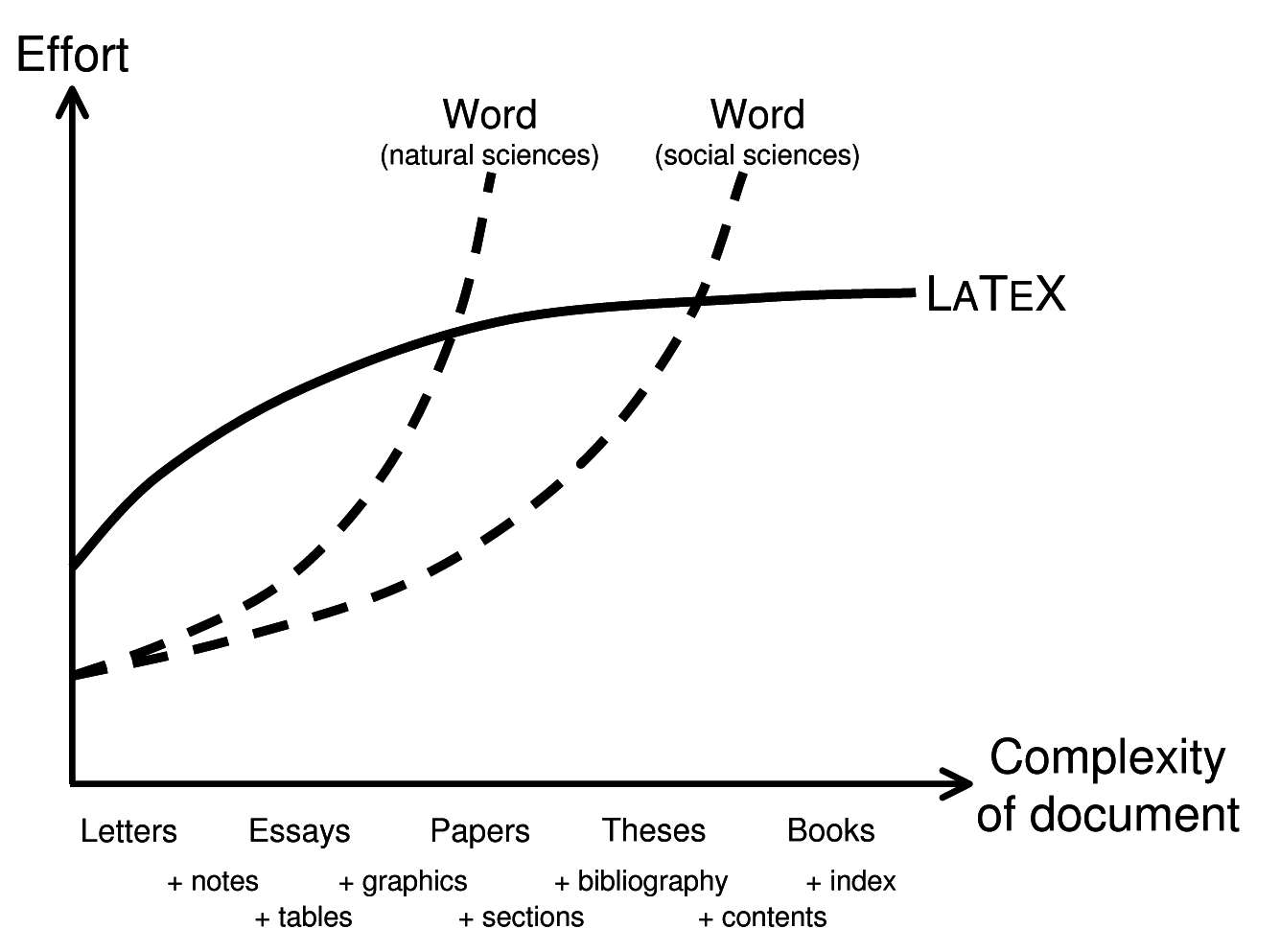
- Makes complex documents with equations, mathematical symbols, tables, and figures easier to edit and review than in Word.
Appointments and the feedback cycle
Book a meeting after completing a unit of work, such as a chapter, section, or piece of code that advances the project. You can also book a meeting when a question requires direct discussion.
Follow the steps below to schedule a meeting:
Book a meeting one week later in my Calendly page. The meeting notification will warn me that I should read your (shared) report!
Update the project management document with the main topics for the meeting, including progress and specific questions. Clear questions help me prepare useful feedback.
You make sure all items of the Quality Checklist are addressed. Be aware that if, upon a quick scan, any of these items are not fulfilled, I will ask you to work on them (and possibly reschedule the meeting).
I check the document to:
- Provide feedback on new content. Use tracked changes in Overleaf/LaTeX, and keep the main comments in the project management document.
- Close comments from previous feedback (e.g., how you answered a question, etc.).
We discuss feedback in the meeting and set goals. We also update the project management document.
You address my feedback (change text, reply to a question, etc.).
Important: Due to capacity limitations, I can read and give feedback once every two weeks. We can meet more frequently if no preparation is required.
Preparing for the meeting
I will leave feedback in our shared document shortly before the meeting. Read it in advance so we can address the main points immediately. Add any questions about the feedback to the document.
Meeting location (in person or online?)
At the Calendly page, please share your preference for an on-campus or online meeting (we meet online by default, but we can also meet in person if I am on campus at the time of our appointment).
I look forward to meeting you.