graph TD
    A((Start)) --> IN[/Score/]
    IN --> B{"Is<br>90 <= Score <= 100?"}
    B -- Yes --> C[/A/]
    B -- No --> D{"Is<br>Score >= 80?"}
    D -- Yes --> E[/B/]
    D -- No --> F{"Is<br>Score >= 70?"}
    F -- Yes --> G[/C/]
    F -- No --> H[/D/]
    C --> I((End))
    E --> I
    G --> I
    H --> I
4.1 Making decisions with conditionals
"The best thing about a boolean is even if you are wrong, you are only off by a bit."
Anonymous.
In programming, conditionals are used to make decisions based on certain conditions. They allow you to control the flow of your program by executing different blocks of code based on whether a condition is True or False. The "off by a bit" reference in the quote above is a nod to the binary nature of boolean values, which can only be True (1) or False (0).
Conditional statements allow control flow in a program, enabling it to perform different actions or execute specific blocks of code based on the evaluation of a condition.
4.1.1 Rule-based decision-making
In real-world scenarios, decision-making often involves a series of rules or conditions that guide the process. For example, consider a grading system based on the score of a student. The decision tree in Figure 1 shows how a student's score can be used to determine their grade.
Notice that the decision tree branches based on the score of the student. If the score is greater than or equal to 90 and less than or equal to 100, the student receives an "A". If the score is between 80 and 89, the student receives a "B", and so on. The decision tree represents a rule-based system that maps input (the student's score) to an output (the grade).
Rule-based systems is a common approach in programming to represent domain-specific knowledge or logic. The rules are typically expressed as conditional statements that guide the program's behavior. It is often referred to as the first level of artificial intelligence (AI) and is used in expert systems, chatbots, and other applications.
4.1.2 Conditional statements in Python
In Python, conditionals are expressed using:
ifstatementsif...elsestatementsif...elif...elsestatementsmatchstatements (introduced in Python 3.10)
TipStatements vs. Expressions
Statements are pieces of code that are executed whereas expressions are pieces of code that are evaluated to produce a value. Therefore, statements will perform an action (e.g., assigning a value to a variable, checking a condition, looping, or defining a function) and will often comprise multiple expressions.
4.1.3 if statements
An if statement is used to conditionally execute a block of code. The code block is executed only if the condition specified in the if statement is True. The syntax of an if statement is as follows:
The code block inside the if statement is indented to indicate that it is part of the if block. If the condition is True, the code block is executed; otherwise, it is skipped.
For example:
In this example, the code inside the if block will only execute if the condition x > 5 is True.
Example: letter grade with if. In Listing 1, we define a function that returns "A", "B", "C", or "D" if a score falls within the following numerical ranges:
- If score is between 90 and 100, return
"A". - If score is between 80 and 89, return
"B". - If score is between 70 and 79, return
"C". - If score is between 0 and 69, return
"D".
if statement to convert a score to a letter grade. In Listing 1 (a), we use the and operator to check multiple conditions. In Listing 1 (b), we use chain comparisons to simplify the code. Chain comparisons are a concise way to check if a variable is within a range.
if statements to convert a score to a letter grade.
if statements to convert a score to a letter grade using chain comparisons.
How could we test the function letter_grade? The scores worth checking are the boundaries, where one grade ends and the next begins, because a wrong < or <= shows up there first. Listing 2 and Listing 3 run the same checks in 2 ways. Both versions of letter_grade share one name, so the checks use whichever version you ran last. Try it: change >= 90 to > 90 in Listing 1 (a), run that cell, then run the checks again.
assert statements. Python compares them for you and stops at the first one that does not hold. The text after each comma is the message shown when that check fails.
The 2 versions check the same thing and differ in who does the comparing. The printed version shows every result, including the ones you did not think about, which is what you want while you are still working out what the function should do. It also stays silent about mistakes: nothing stops you from reading past a wrong line.
The assert version states the expectation in the code. While every check holds, the cell prints only its closing message. When one fails, Python stops at that line with an AssertionError, a kind of error the Debugging chapter covers, so nothing after it runs.
Write a message after the condition, as the checks above do. A bare assert letter_grade(89) == "B" that fails carries no message, so the cell shows an empty error, and you are left guessing what came back. The Debugging chapter returns to assert, including how to word the failure message and which assumptions are worth asserting at all.
Print while you explore, then write the checks you settled on as assert statements. From here on, the exercises in this book use assert as the guardrails around your work: each one states what your function must return, and running the cell tells you which case is not there yet.
🤔
letter_gradeis not finished. Addprint(letter_grade(-5))to Listing 1 (a) and run it. What comes back, and which rule in the specification says so? Listing 7 returns to this case.
4.1.4 if-else statement (two-way if)
An if-else statement allows us to handle two cases based on a condition. If the condition is True, one block of code is executed; otherwise, another. The syntax of an if-else statement is as follows:
Example: greater or not. In Listing 4, we define a function that prints a message based on the value of x and y. If x is greater than y, the message "{x} is greater than {y}" will be printed. Otherwise, the message "{x} is not greater than {y}" will be printed.
if-else statement.
Example: even or odd. In Listing 5, we define a function that returns "Even" if the number is even and "Odd" if it's odd.
if-else statement. Only one block within the conditions will trigger.
Sometimes, the else block can be omitted in the function body. In Listing 6, we define a function that checks if a number is even or odd using an if statement without the else block. If the condition is True, the return statement is executed, and the function exits. If the condition is False, the function continues to the next statement after the if block.
if-else statement without the else block. Only one block within the conditions will trigger.
In Listing 7, we review the letter_grade function and add a condition to handle invalid grades (i.e., scores less than 0 or greater than 100). A score outside 0 to 100 has no grade, so the function has to say so. We return the string "Invalid Grade", and every later version of letter_grade in this chapter keeps that contract. Returning None instead would also work, but then a caller who prints the result sees None, which reads as "nothing" rather than as "this score was rejected".
if-else statement. A score outside 0 to 100 returns "Invalid Grade".
4.1.5 Nested if statements
Nested if statements allow us to check multiple conditions by nesting one if within another. It provides a way to handle more complex decision trees. The syntax of a nested if statement is as follows:
if condition1:
    if condition2:
        # Block 1 (condition1 and condition2 are True)
    else:
        # Block 2 (condition1 is True and condition2 is False)
else:
    if condition2:
        # Block 3 (condition1 is False and condition2 is True)
    else:
        # Block 4 (condition1 and condition2 are False)
# Code block outside the nested if statement
Notice that the same structure could be alternatively represented as:
if condition1 and condition2:
    # Block 1 (condition1 and condition2 are True)
if condition1 and not condition2:
    # Block 2 (condition1 is True and condition2 is False)
if not condition1 and condition2:
    # Block 3 (condition1 is False and condition2 is True)
if not condition1 and not condition2:
    # Block 4 (condition1 and condition2 are False)
# Code block outside the nested if statement
Example: formatting an interval. In Listing 8, we define a function that formats an interval based on the start and end values and whether the interval is inclusive or exclusive. The function returns the formatted interval as a string.
if statements.
4.1.6 if-elif-else statement (multi-way if)
The if-elif-else statement allows us to check multiple conditions sequentially and execute the first one that evaluates to True. It's useful for handling multiple cases. The elif stands for "else if."
The syntax of an if-elif-else statement is as follows:
Example: letter grade with if-elif-else. In Listing 9, we review the letter_grade function and rewrite it using an if-elif-else statement.
if-elif-else statement. Only one block within the conditions will trigger.
4.1.7 match statement
Python 3.10 introduced the match statement, which can be used to perform pattern matching. It allows you to match a value against a series of patterns and execute the corresponding block of code. Sometimes, it can be more concise and readable than using if-elif-else statements. The syntax is shown in Listing 10.
match statement in Python. The case _: is the default case that executes when no other pattern matches. Only one block within the conditions will trigger. The cases are evaluated in order, and the first matching case is executed.
A pattern can be:
- A literal value (e.g.,
1,"apple") - A variable (e.g.,
x,name) - A wildcard (
_) to match any value - A sequence of patterns (e.g.,
(1, 2)) - A combination of literals (e.g.,
1 | 2)
See the Python documentation for more details on the match statement.
Example: day of the week. In Listing 11, we define a function that returns the name of the day of the week based on the day number.
match statement. Only one block within the conditions will trigger.
Example: categorizing cars. In Listing 12, we define a function that categorizes a car into one of four categories based on whether it's electric and sporty. The function takes two Boolean parameters, is_electric and is_sporty, and returns the car category:
"Electric Sportscar":is_electricisTrueandis_sportyisTrue"Electric Car":is_electricisTrueandis_sportyisFalse"Sportscar":is_electricisFalseandis_sportyisTrue"Regular Car":is_electricisFalseandis_sportyisFalse
match statement.
Example: month to quarter. In Listing 13, we define a function that converts a month number to the corresponding quarter of the year. We use | (named "pipe") to combine multiple values in a pattern. The pipe operator in programming is usually used to denote a logical OR operation.
match statement.
4.1.8 Truthy and falsy values
In Python, values can be evaluated in a boolean context. This means that they can be used as conditions in if statements.
Truthy values. Values that evaluate to True in a boolean context are called truthy values. For example:
True- Any non-zero number
- Any non-empty string
- Any non-empty collection (list, tuple, dictionary, set)
Falsy values. Values that evaluate to False in a boolean context are called falsy values. For example:
FalseNone0,0.0,0j(zero as an integer, float, or complex number)""(empty string)[],(),{},set()(empty list, tuple, dictionary, set)
Example: checking if a list is empty. In Listing 14, we define a function that checks if a list is empty using the list itself in an if statement.
if statement.
Example: checking if a string is empty. In Listing 15, we define a function that checks if a string is empty using the string itself in an if statement.
if statement.
Example: checking if a number is not zero. In Listing 16, we define a function that checks if a number is non-zero using the number itself in an if statement.
if statement.
Notice that throughout Listing 14, Listing 15, and Listing 16, the if statement evaluates the value in a boolean context, without the need to compare it to True or False. Comparing a value to True or False is redundant and not Pythonic as illustrated in Figure 2.
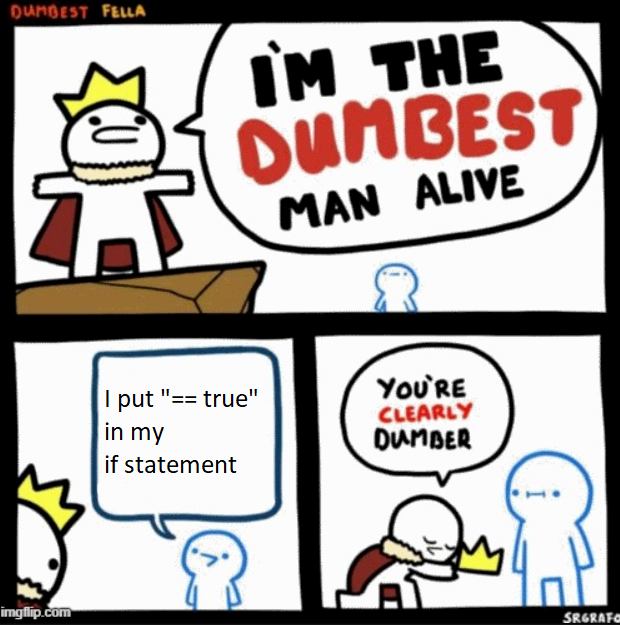
True or False in an if statement. Python evaluates the value in a boolean context.
4.1.9 Conditional expressions (ternary operator)
Python supports a concise way to write conditional expressions using the ternary operator (also known as a conditional expression). The syntax of a ternary operator is as follows:
The ternary operator is a one-liner that allows you to evaluate a condition and return one of two values based on the result. It's a compact way to write simple if-else statements.
Example: absolute value. In Listing 17, we define a function that calculates the absolute value of a number using the ternary operator.
Example: maximum of 2 numbers. In Listing 18, we define a function that returns the maximum of two numbers using the ternary operator.
4.1.10 Short-circuit evaluation
In Python, logical operators (and, or) use short-circuit evaluation. This means that the evaluation of the expression stops as soon as the result is determined (see the docs).
Short-circuiting with and
When using the and operator:
- If the first expression is
False, the result isFalse, and the second, third, etc., expressions are not evaluated. - If the first expression is
True, the result depends on the second expression. If the second expression isTrue, the result depends on the third expression, and so on.
Example: short-circuiting with and. In Listing 19, we define a function that calls another function only if the input is not None.
and operator. The is_valid function is only called if the password is not None.
Short-circuiting with or
When using the or operator:
- If the first expression is
True, the result isTrue, and the second, third, etc., expressions are not evaluated. - If the first expression is
False, the result depends on the second expression. If the second expression isFalse, the result depends on the third expression, and so on.
Example: short-circuiting with or. In Listing 20, we define a function that evaluated the results of three expensive functions and returns True if any of them is True.
or operator. The functions f1, f2, and f3 are only evaluated as needed, that is, until the first True result is found.
🤔 Which calls are on the call stack while Listing 20 runs, and which of
f1,f2, andf3never reach it? The Debugging chapter shows the call stack for a running program.
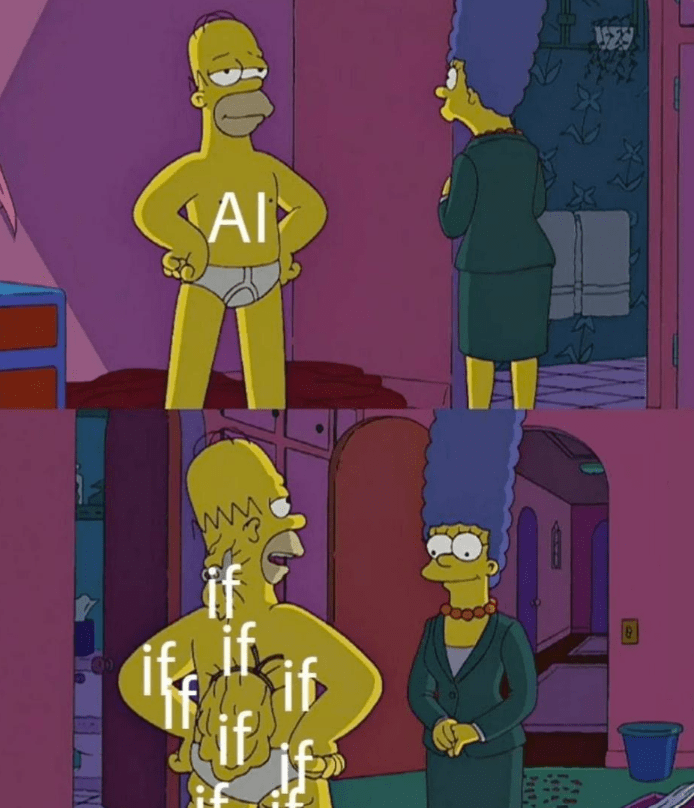
4.1.11 Isn't AI just a bunch of if-else statements?
On the surface, artificial intelligence (AI) may seem like a series of nested if-else statements: given input data, an AI model will output a certain prediction or decision. The big difference is in how the output is generated. In the case of if-else statements, the logic is explicitly defined by the programmer. The domain knowledge is encoded in the form of conditions and rules, and the program follows these rules to make decisions.
As for AI models, they can handle more complex logic by learning the conditions from large amounts of data. This is done through a process called machine learning, where the model learns patterns and relationships in the data to make predictions or decisions. It would be extremely difficult, for example, creating a decision tree for driving autonomous cars using nested if-else statements due to the complexity and large scope of the rules. Using AI, the model can learn from examples of driving behavior and road conditions to make decisions in real-time.
Figure 3 contrasts explicitly programmed nested conditions with a model that learns patterns from examples.
4.1.12 Exercises
4.1.Q1 Clamp negative stock to zero
Write a function that returns the supplied stock level unchanged when it is zero or positive. If it is negative, return 0. Use one if statement and a single final return statement.
Complete Listing 21. Save the completed code as clamp_stock.py and run it to check the supplied assertions.
TipHint
assert conditionchecks a Boolean condition. A true condition produces no output; a false condition raisesAssertionError. For example,assert 2 + 3 == 5passes.
4.1.Q2 Checking age eligibility
Assume the age is a nonnegative integer.
Write a Python function that takes an age as input and returns "Eligible" if the age is 18 or older, and "Not Eligible" otherwise.
Complete Listing 22. Save the completed code as check_age_eligibility.py and run it to check the supplied assertions.
TipHint
assert conditionchecks a Boolean condition. A true condition produces no output; a false condition raisesAssertionError. For example,assert 2 + 3 == 5passes.
4.1.Q3 Simple if statement
Write a Python function that takes an integer as input and returns "Even" if the number is even and "Odd" if it's odd.
Complete Listing 23. Save the completed code as check_even_odd.py and run it to check the supplied assertions.
TipHint
assert conditionchecks a Boolean condition. A true condition produces no output; a false condition raisesAssertionError. For example,assert 2 + 3 == 5passes.a % breturns the remainder after division by nonzerob. For example,7 % 3is1, and12 % 4is0.
4.1.Q4 Checking divisibility
Write a Python function that takes two integers as input and returns "Divisible" if the first number is divisible by the second number, and "Not Divisible" otherwise. Treat num2 != 0 as a precondition; division by zero is outside this exercise's input domain.
Complete Listing 24. Save the completed code as check_divisibility.py and run it to check the supplied assertions.
TipHint
assert conditionchecks a Boolean condition. A true condition produces no output; a false condition raisesAssertionError. For example,assert 2 + 3 == 5passes.a % breturns the remainder after division by nonzerob. For example,7 % 3is1, and12 % 4is0.
4.1.Q5 Check a username
Here, a space means the literal character " ". The task does not impose other character restrictions.
Write a Python function that takes a username as input and returns "Valid" if the username contains at least 6 characters and does not contain spaces, and "Invalid" otherwise.
Complete Listing 25. Save the completed code as check_username_validity.py and run it to check the supplied assertions.
TipHint
assert conditionchecks a Boolean condition. A true condition produces no output; a false condition raisesAssertionError. For example,assert 2 + 3 == 5passes.len(text)returns the number of characters in a string. For example,len("abcdef")is6;len("")is0.
4.1.Q6 Number sign
Write a function that takes two integers as input and returns "Positive" if both are positive, "Negative" if both are negative, and "Mixed" otherwise.
Complete Listing 26. Save the completed code as check_number_sign.py and run it to check the supplied assertions.
TipHint
assert conditionchecks a Boolean condition. A true condition produces no output; a false condition raisesAssertionError. For example,assert 2 + 3 == 5passes.
4.1.Q7 Increasing / decreasing order
Use strict order: each successive number must be larger or smaller. Equal neighboring values return "Neither".
Write a function that takes three numbers as input and returns "Increasing" if they are in increasing order, "Decreasing" if they are in decreasing order, and "Neither" otherwise.
Complete Listing 27. Save the completed code as check_number_order.py and run it to check the supplied assertions.
TipHint
assert conditionchecks a Boolean condition. A true condition produces no output; a false condition raisesAssertionError. For example,assert 2 + 3 == 5passes.
4.1.Q8 Multiple conditions with strings
Use Python's case-folded comparison for the second result; empty strings are valid inputs.
Write a function that takes two strings as input and returns "Equal" if they are exactly the same, "CaseSensitive" if they differ only in letter case, and "Different" otherwise.
Complete Listing 28. Save the completed code as compare_strings.py and run it to check the supplied assertions.
TipHint
assert conditionchecks a Boolean condition. A true condition produces no output; a false condition raisesAssertionError. For example,assert 2 + 3 == 5passes.text.casefold()returns a new string for comparison without letter case. It leaves the original unchanged. For example,"Hello".casefold()returns"hello".
4.1.Q9 Categorize number
Write a Python function that takes an integer as input and returns:
- "Positive" if it's positive,
- "Negative" if it's negative, and
- "Zero" if it's zero,
using only if statements.
Complete Listing 29. Save the completed code as categorize_number.py and run it to check the supplied assertions.
TipHint
assert conditionchecks a Boolean condition. A true condition produces no output; a false condition raisesAssertionError. For example,assert 2 + 3 == 5passes.
4.1.Q10 Vowel or consonant
Assume the input is exactly one English lowercase letter from a to z.
Write a function that takes a single character (a lowercase letter) as input and returns "Vowel" if it's a vowel, namely, "a", "e", "i", "o", or "u", or "Consonant" otherwise. Use only if statements.
Complete Listing 30. Save the completed code as is_vowel_or_consonant.py and run it to check the supplied assertions.
TipHint
assert conditionchecks a Boolean condition. A true condition produces no output; a false condition raisesAssertionError. For example,assert 2 + 3 == 5passes.
4.1.Q11 Determining quadrant
Assume finite numeric coordinates. Return the exact labels shown in the checks, including "Negative x-axis" and "Positive y-axis" for the two axis cases not listed there.
Write a function that takes two numbers (x and y) as input representing coordinates on a 2D plane. The function should return the quadrant in which the point lies (Quadrant I, II, III, or IV), the axis on which it lies (Positive or Negative x-axis or y-axis), or "Origin" if the point is at (0, 0). Use only if statements without else.
Complete Listing 31. Save the completed code as determine_quadrant.py and run it to check the supplied assertions.
TipHint
assert conditionchecks a Boolean condition. A true condition produces no output; a false condition raisesAssertionError. For example,assert 2 + 3 == 5passes.
4.1.Q12 Triangle type
Assume the side lengths are positive and form a valid triangle. Invalid triangles are outside this task.
Write a function that takes three integers as input representing the sides of a triangle and returns "Equilateral" if all sides are equal, "Isosceles" if two sides are equal, and "Scalene" if all sides are different.
Complete Listing 32. Save the completed code as check_triangle_type.py and run it to check the supplied assertions.
TipHint
assert conditionchecks a Boolean condition. A true condition produces no output; a false condition raisesAssertionError. For example,assert 2 + 3 == 5passes.
4.1.Q13 Convert letter grade
Assume the input is a finite number; decimals within the stated bands are allowed.
Write a Python function that takes a numeric grade (0 to 100) as input and returns the corresponding letter grade (A, B, C, D, or F) using if/elif/else statements.
The grading scale is as follows:
- if
90 <= grade <= 100, return "A". - if
80 <= grade < 90, return "B". - if
70 <= grade < 80, return "C". - if
60 <= grade < 70, return "D". - if
0 <= grade < 60, return "F".
If the grade is outside the range 0 to 100, return "Invalid Grade".
Complete Listing 33. Save the completed code as convert_to_letter_grade.py and run it to check the supplied assertions.
TipHint
assert conditionchecks a Boolean condition. A true condition produces no output; a false condition raisesAssertionError. For example,assert 2 + 3 == 5passes.
4.1.Q14 Categorizing BMI
Create a function that categorizes a person's Body Mass Index (BMI) into "Underweight", "Normal", "Overweight", or "Obese". The criteria are as follows:
- Invalid BMI: BMI < 0
- Underweight: BMI < 18.5
- Normal: 18.5 <= BMI < 25
- Overweight: 25 <= BMI < 30
- Obese: BMI >= 30
Each band ends where the next one begins, so every value from 0 upwards falls in exactly one band.
NoteSolution
def categorize_bmi(bmi: float) -> str:
    """Return the BMI category for a BMI value.

    Bands: Underweight below 18.5, Normal below 25, Overweight below 30,
    Obese from 30 upwards. A negative value is invalid.
    """
    if bmi < 0:
        return "Invalid BMI"
    if bmi < 18.5:
        return "Underweight"
    if bmi < 25:
        return "Normal"
    if bmi < 30:
        return "Overweight"
    return "Obese"
The checks run from the lowest band upwards, so each if only has to rule out one boundary: once bmi < 18.5 is false, the value is known to be 18.5 or more. The final return needs no condition, because every remaining value is 30 or more.
Now close this box and write the function again without looking.
4.1.Q15 Categorizing blood pressure
Use integer readings in millimeters of mercury (mm Hg).
Write a function that takes positive systolic and diastolic blood pressure readings as input and returns a category (Normal, Elevated, Hypertension Stage 1, Hypertension Stage 2, or Severe Hypertension) using if/elif/else statements. Apply the categories from highest to lowest and use the more severe category when either reading crosses its threshold. Raise ValueError if either reading is not positive.
| Blood Pressure Category | Systolic Range | Diastolic Range |
|---|---|---|
| Normal | Below 120 | and below 80 |
| Elevated | 120--129 | and below 80 |
| Hypertension Stage 1 | 130--139 | or 80--89 |
| Hypertension Stage 2 | 140 and above | or 90 and above |
| Severe Hypertension | Above 180 | and/or above 120 |
Complete Listing 34. Save the completed code as categorize_blood_pressure.py and run it to check the supplied assertions.
TipHint
assert conditionchecks a Boolean condition. A true condition produces no output; a false condition raisesAssertionError. For example,assert 2 + 3 == 5passes.
4.1.Q16 Checking leap year
Use positive integer years in the Gregorian calendar.
Write a function that takes a year as input and returns "Leap Year" if it's a leap year and "Not a Leap Year" if it's not.
A year is a leap year when it is divisible by 4, except for years divisible by 100, which are leap years only when they are also divisible by 400.
Complete Listing 35. Save the completed code as check_leap_year.py and run it to check the supplied assertions.
TipHint
assert conditionchecks a Boolean condition. A true condition produces no output; a false condition raisesAssertionError. For example,assert 2 + 3 == 5passes.a % breturns the remainder after division by nonzerob. For example,7 % 3is1, and12 % 4is0.
4.1.Q17 Check a date
Use the Gregorian calendar with positive integer years. Months are 1 to 12; days start at 1. A leap year is divisible by 4, except a year divisible by 100 must also be divisible by 400.
Write a function that takes three integers as input representing a date (day, month, year) and returns
"Valid"if the date is valid, or"Invalid", otherwise.
Make sure you consider leap years!
Complete Listing 36. Save the completed code as check_date_validity.py and run it to check the supplied assertions.
TipHint
assert conditionchecks a Boolean condition. A true condition produces no output; a false condition raisesAssertionError. For example,assert 2 + 3 == 5passes.a % breturns the remainder after division by nonzerob. For example,7 % 3is1, and12 % 4is0.
4.1.13 References
- Rule-based system (Wikipedia)
- The 7 Levels of AI, Their Evolution, and Their Role in Trucking and Transportation
matchstatement (PEP 636)