5.3 Randomness
Generate random values, reproduce them, and sample from observed data
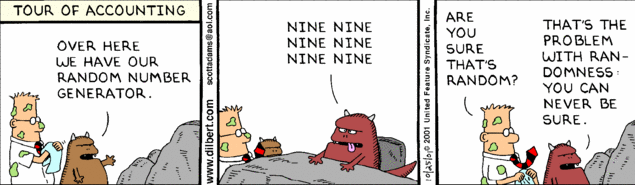
Randomization is a process that involves generating random numbers or sequences. It is useful in simulations, games, data analysis, and testing. The comic in Figure 1 asks how we can tell whether a number is random.
A simulation repeatedly runs a simplified model of a system. Random events represent uncertain inputs, such as demand or travel time, so each trial can produce a different outcome. A loop repeats the trials and lets the program collect their results. Comparing those results helps us understand variation and compare scenarios rather than rely on one exact prediction.
A computer following fixed instructions cannot produce truly random values from those instructions alone. Python's random module uses a deterministic algorithm to generate pseudo-random numbers: values that behave like random draws, but whose sequence can be reproduced from the same starting state.
5.3.1 Import the random module
A module is a file of Python code that other programs can reuse. Python comes with a standard library of modules for mathematics, text, dates, files, statistics, randomness, and many other common tasks. The statement import random makes the random module available, and each of its functions is then called with the prefix random., as in random.randint(1, 6). The prefix shows where a function comes from when you read the program. The Modules and packages chapter, in Building reliable programs, shows how to write modules of your own.
5.3.2 Generate random values
The random module provides functions for generating random values. Listing 1 calls four of them.
random module.
randint(a, b)returns an integer fromathroughb. Both bounds can occur.choice(values)returns one item from a non-empty sequence.uniform(a, b)returns a floating-point value between the two bounds.random()returns a floating-point value from0.0up to, but not including,1.0.
Integers built from random()
A value from random.random() can be scaled to produce an integer. Listing 2 compares this construction with random.randint.
100 and 200.
The two lines do not generate the same range. Because random() never returns 1.0, built_value can be 100 but never 200. randint_value can be either bound. Over 100,000 draws, the first line produces values from 100 to 199 and the second from 100 to 200. Check the bounds whenever you build a range yourself.
5.3.3 Use a seed for reproducibility
A seed initializes the pseudo-random generator. Reusing the same seed and the same sequence of calls reproduces the same generated values. Listing 3 seeds the generator before generating five die rolls.
42 before generating five die rolls.
Run Listing 3 twice: both runs print 6, 1, 1, 6, and 3. Remove the random.seed line and each run prints a different sequence, because without a seed Python starts the generator from a source that changes between runs.
NoteWhy 42?
The number 42 is often used as a seed value in examples and tutorials, including this chapter. It is a reference to the book "The Hitchhiker's Guide to the Galaxy" by Douglas Adams, where 42 is humorously described as the "Answer to the Ultimate Question of Life, the Universe, and Everything." You will see 42 used in many programming examples :-)
Figure 2 shows how to read the documentation of random.seed in VS Code by hovering over the function name.
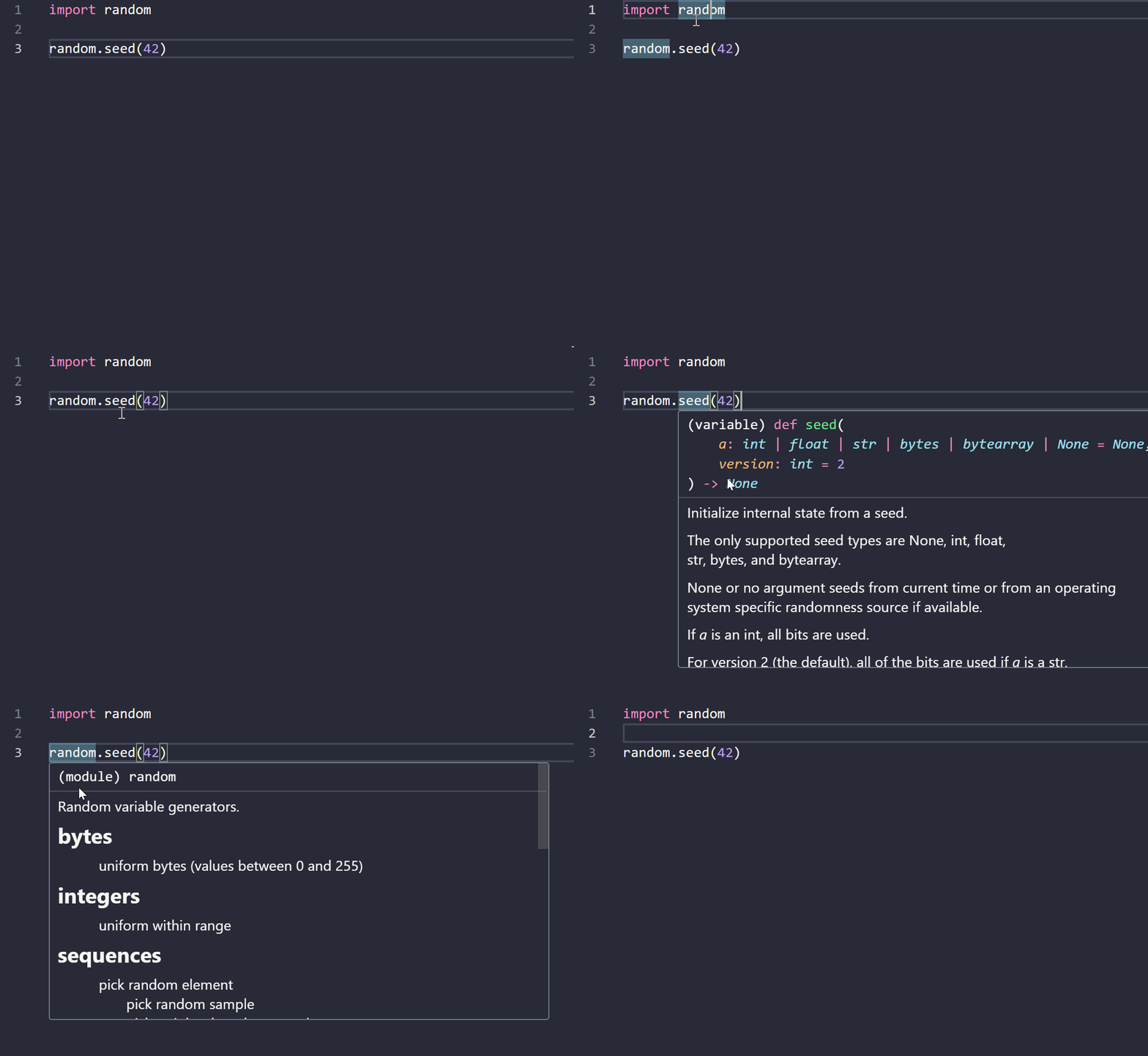
random module in VS Code and the seed function to read their documentation.
Reproducibility is useful when:
- debugging a program;
- comparing two implementations;
- demonstrating an example;
- checking that a later change preserves behavior; or
- sharing a result that another person must reproduce.
A seed does not make an assumption correct. It only makes the generated sequence repeatable.
NoteRandom values in Excel
Excel's RAND and RANDBETWEEN functions recalculate whenever the workbook changes, and they cannot be seeded. To analyze a reproducible random sample in Excel, generate it in Python with a seed, write it to a CSV file, and import that file, as the Minimum viable simulation chapter does.
5.3.4 Repeat a generated process
Functions, loops, and lists can be combined to repeat a process and retain its results. Listing 4 generates 20 waiting times and averages them.
This program separates four responsibilities:
- a function produces one value;
- a loop repeats the process;
- a list stores the results; and
- an expression summarizes them.
5.3.Q1 Trace a generated process
For the first three iterations, write down:
- the current value of
repetition; - the generated
waiting_time; and - the contents of
waiting_timesafterappend.
Run the program twice with the same seed and once with a different seed. Explain what changes and what remains reproducible.
5.3.5 Test generated behavior
Generated values require different checks from fully deterministic calculations.
Useful checks include:
- the result has the expected type;
- every value stays within the permitted bounds;
- the expected number of values is generated;
- the same seed reproduces the same sequence; and
- a changed seed can produce a different sequence.
Listing 5 applies three of these checks to 100 die rolls.
Do not test that a particular value must occur unless the seed and call sequence are deliberately fixed for that test.
5.3.Q2 Build a reproducible process
Adapt the repeated-process example so that it:
- generates 50 values between 5 and 20;
- stores only values greater than 10;
- reports how many values were retained; and
- produces the same result whenever the seed is
42.
Then identify one normal test, one boundary test, and one reproducibility test for your solution.
5.3.6 Sample from observed data
The functions above draw from ranges chosen in advance. Often the values should follow data you have observed instead. An empirical distribution describes how often each distinct value occurs in a dataset. A theoretical distribution, such as the normal distribution, comes from a mathematical model; an empirical one comes directly from the data, so it changes when more data are collected or a different sample is used.
Empirical distributions describe many everyday datasets:
- Exam scores: how often each score occurs in a class.
- Sales prices: the prices at which a product actually sold during a week.
- Customer ratings: how often a product receives one to five stars.
- Page views: the number of daily views of each page of a website.
Build the distribution
An empirical distribution is built in four steps:
- list the distinct values in the dataset;
- count how often each value occurs (its frequency);
- divide each frequency by the number of observations to obtain its probability; and
- check that the probabilities add up to 1.
Table 1 shows ten student grades (Table 1 (a)) and the distribution built from them (Table 1 (b)).
| Student | Grade |
|---|---|
| Student 1 | A |
| Student 2 | A |
| Student 3 | B |
| Student 4 | B |
| Student 5 | B |
| Student 6 | B |
| Student 7 | B |
| Student 8 | B |
| Student 9 | C |
| Student 10 | C |
| Value | Frequency | Probability |
|---|---|---|
| A | 2 | 0.2 |
| B | 6 | 0.6 |
| C | 2 | 0.2 |
Listing 6 carries out the first three steps with lists and loops.
Draw a value from the distribution
To draw a grade with these probabilities, divide the interval from 0 to 1 into consecutive pieces, one per value, each as long as that value's probability. Table 2 shows the pieces for the grades.
| Value | Probability | Cumulative probability | random() falls in |
|---|---|---|---|
| A | 0.2 | 0.2 | 0.0 up to 0.2 |
| B | 0.6 | 0.8 | 0.2 up to 0.8 |
| C | 0.2 | 1.0 | 0.8 up to 1.0 |
A number from random() lands in exactly one piece, and a longer piece is hit more often. Listing 7 walks through the pieces, adding up the probabilities, until the running total passes the random number.
n values. It uses values and probabilities from Listing 6.
The final return values[-1] handles rounding. Probabilities such as 0.1 cannot be stored exactly, so their sum can end slightly below 1, and a random number very close to 1 could otherwise pass every piece.
The output shows the shares of A, B, and C in samples of 10, 100, and 10,000 grades. Small samples can differ a lot from 0.2, 0.6, and 0.2. The shares approach the probabilities as the sample grows.
TipShortcuts in the
random module
Two functions do the same work in one call. random.choice(grades) draws one observation from the original list, and each grade is drawn as often as it occurs, so no table is needed. random.choices(values, weights=probabilities, k=10) returns a list of 10 values drawn with the given probabilities. Write the loop yourself first, so that you know what these functions do.
An empirical distribution only produces values that were observed. A grade that never occurred in the data, such as D, can never be drawn, however many samples you take.
5.3.7 Exercises
5.3.Q3 Find a random number less than 50
Use an integer seed. Each call starts a local random generator, so repeating a call with the same seed repeats its result without changing the global random state.
Write a function named find_random_number that takes an optional random seed and repeatedly generates random integers from 0 to 100, inclusive, until it finds a number less than 50. Use a while loop and return the number found. Start from the code in Listing 8.
find_random_number (Question 5.3.Q3 Find a random number less than 50).
TipHint
assert conditionchecks a Boolean condition. A true condition produces no output; a false condition raisesAssertionError. For example,assert 2 + 3 == 5passes.Random(seed)creates a local generator.rng.randint(low, high)returns one integer from the inclusive bounds, which must satisfylow <= high. For example,rng.randint(5, 5)returns5.
5.3.Q4 Print two different numbers within a range
Use an integer seed. The input bounds must differ so at least two integer values are available.
Write a function named two_random_numbers that takes two integer parameters, min_range and max_range, plus an optional random seed. It must repeatedly generate random integers with a while loop until it has two different numbers, then return the two numbers as a tuple. The bounds are inclusive. If the bounds are supplied in reverse order, swap them. You may assume the range contains at least two integers.
TipRandom Numbers Between Two Integers
Create a local generator with rng = Random(seed), then use rng.randint(low, high) to generate a random integer from low to high, inclusive.
Start from the code in Listing 9.
two_random_numbers (Question 5.3.Q4 Print two different numbers within a range).
TipHint
assert conditionchecks a Boolean condition. A true condition produces no output; a false condition raisesAssertionError. For example,assert 2 + 3 == 5passes.Random(seed)creates a local generator.rng.randint(low, high)returns one integer from the inclusive bounds, which must satisfylow <= high. For example,rng.randint(5, 5)returns5.min(values)andmax(values)return the smallest and largest supplied values. For example,min((20, 10))is10, andmax((20, 10))is20.*boundspasses the tuple items as separate arguments.print(value)writes the value and a newline to the terminal. With several arguments,print(first, second)separates them with a space; for example,print(3, 5)displays3 5. It returnsNone.
5.3.Q5 Generate a random prime number
Use an integer seed. Count one iteration for every generated candidate, including the prime that ends the search.
Write a function named generate_random_prime that receives a seed and repeatedly generates random integers from 2 to 100, inclusive, until it finds a prime number. Stop when a prime is found and return a tuple containing the prime number and the number of iterations needed to find it. A caller can then print the result. For example, Python 3.11 produces the output in Listing 10 with Random(seed). Seed 53 appears twice and gives the same result both times.
The supplied is_prime helper keeps this exercise independent of any earlier prime-number task. Your work begins in generate_random_prime in Listing 11.
generate_random_prime, with the is_prime helper supplied (Question 5.3.Q5 Generate a random prime number).
from random import Random


def is_prime(n: int) -> bool:
    if n < 2:
        return False

    for divisor in range(2, int(n ** 0.5) + 1):
        if n % divisor == 0:
            return False

    return True


def generate_random_prime(seed: int) -> tuple[int, int]:
    # Add code here!
    pass


for seed in [53, 45, 7, 53]:
    prime, iterations = generate_random_prime(seed)
    print(f"Result with seed = {seed}")
    print(f" - Random Prime Number: {prime}")
    print(f" - #Iterations: {iterations}")
TipHint
assert conditionchecks a Boolean condition. A true condition produces no output; a false condition raisesAssertionError. For example,assert 2 + 3 == 5passes.Random(seed)creates a local generator.rng.randint(low, high)returns one integer from the inclusive bounds, which must satisfylow <= high. For example,rng.randint(5, 5)returns5.- The supplied
is_prime(n)receives an integer and returnsTrueexactly when it is prime. Values below2returnFalse. For example,is_prime(7)isTrue, andis_prime(9)isFalse. It changes no data. - In the helper,
int(value)removes the fractional part of a positive number, andrange(start, stop)supplies integers fromstartthroughstop - 1. For example,int(3.8)is3, andlist(range(2, 5))is[2, 3, 4]. print(value)writes the value and a newline to the terminal. With several arguments,print(first, second)separates them with a space; for example,print(3, 5)displays3 5. It returnsNone.
5.3.Q6 Generate a random grid
Write a function that returns a grid of random numbers as a nested list, with rows inner lists of columns values each. Every value lies from low through high. When number_type is "int", generate integers with random.randint; when it is "float", generate decimals with random.uniform.
Do not call random.seed inside the function. The caller seeds the generator, so the same function can give a reproducible grid or a fresh one. Start from the code and tests in Listing 12.
generate_random_grid (Question 5.3.Q6 Generate a random grid).
5.3.M1 Seed inside a loop
The program in Listing 13 is meant to simulate five rolls of a die, so that anyone who runs it gets the same five rolls.
Which statement describes the list that the program prints?
- The five values can differ, and every run prints the same list.
- The five values are all equal, and every run prints the same list.
- The five values are all equal, and each run prints a different list.
- The five values can differ, and each run prints a different list.
TipHint
random.seed(42) puts Python's random-number generator in a fixed starting state. random.randint(1, 6) draws one integer from 1 through 6, including both endpoints. append adds each draw to rolls.